The Purpose-Built IDE for Azure Cosmos DB Graphs
GremlinStudio is built exclusively for Azure Cosmos DB, handling its GraphSON quirks, partition keys, and RU tracking natively. Not a generic tool — a specialized IDE for your graph database.
A Real Alternative to the Azure Portal Data Explorer
The Azure Portal's built-in Data Explorer is useful for quick queries, but it wasn't designed for serious development work. It lacks syntax highlighting, has no autocomplete, can't visualize graph relationships, and doesn't support debugging. For anyone building production applications on Cosmos DB's Gremlin API, a dedicated IDE makes the difference between fighting your tools and being productive.
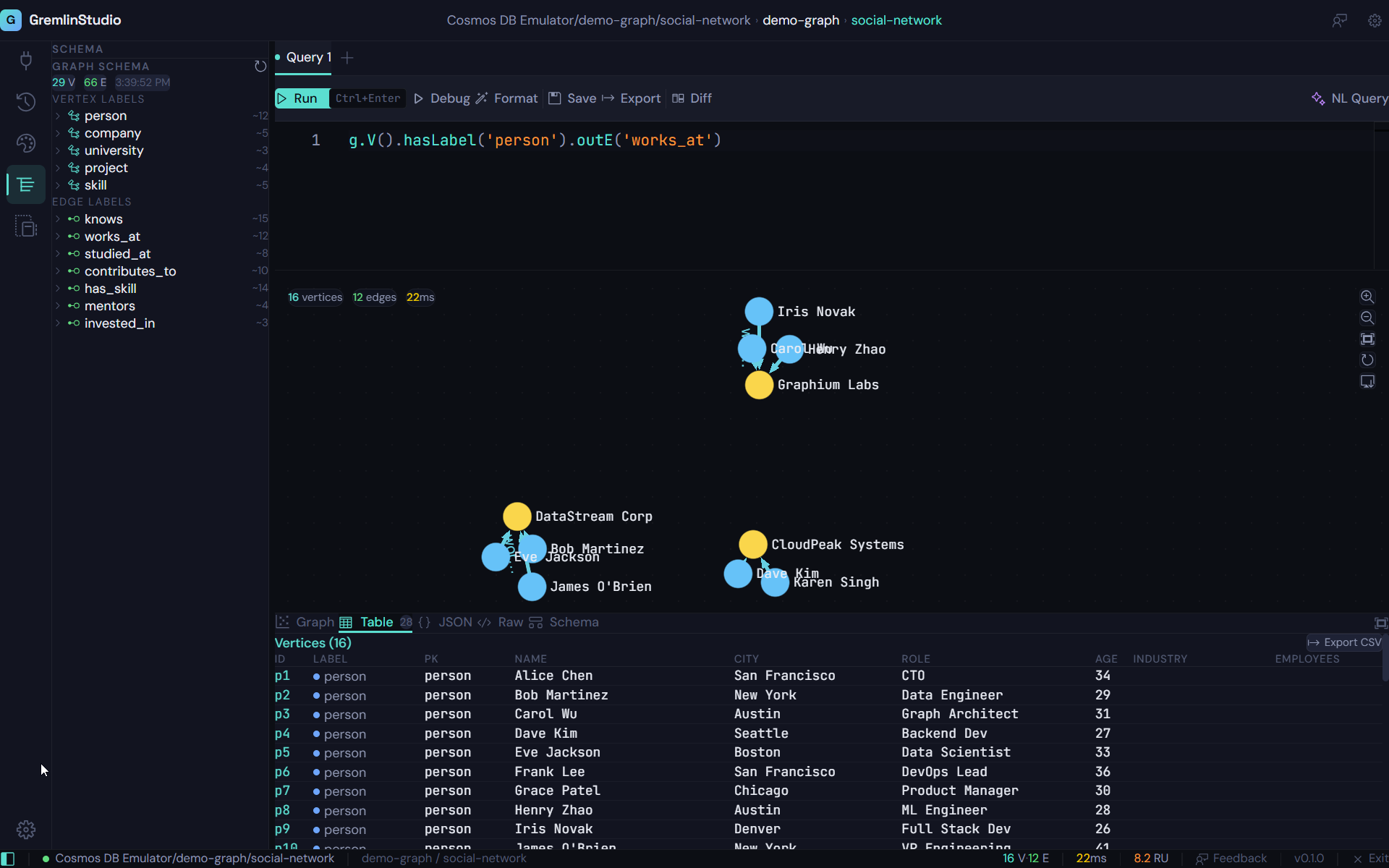
GremlinStudio gives you everything the Data Explorer doesn't: a full Monaco-powered editor with Gremlin syntax highlighting and autocomplete, interactive graph visualization powered by Sigma.js, a step-by-step query debugger, AI-powered natural language queries, and WYSIWYG CRUD operations directly on the graph canvas.
Built for Cosmos DB's Unique Characteristics
Azure Cosmos DB's Gremlin API has specific behaviors that generic graph tools don't handle well. Cosmos DB returns GraphSON2 without type wrappers — a known divergence from the TinkerPop standard (TINKERPOP-2581). GremlinStudio includes a custom GraphSON2 reader that handles untyped numbers, JsonElement values, and other Cosmos DB-specific response formats out of the box.
When you run edge queries like g.V('id').bothE(), generic tools show dangling edges with no context. GremlinStudio's smart vertex discovery automatically fetches the connected vertices, so your graph visualization always shows the complete picture. It also tracks request unit consumption for every query, helping you optimize your Cosmos DB spending.
Privacy-First: Your Data Stays Local
GremlinStudio is a desktop application that runs entirely on your machine. Your Cosmos DB connection strings, query results, and graph data never leave your computer. There's no cloud relay, no telemetry by default, and no data collection. Settings and history are stored in a local SQLite database. For teams with strict data governance requirements, this is a fundamental advantage over browser-based tools.
Native Cosmos DB Support
Handles Azure Cosmos DB GraphSON2 format natively, including untyped numbers and partition key awareness. No configuration needed — just connect and query.
RU Cost Tracking
See the request unit (RU) cost of every query in real time. Optimize your Cosmos DB spending by understanding exactly which traversals are expensive.
Smart Vertex Discovery
When you query edges, GremlinStudio automatically fetches the connected vertices so your graph visualization is always complete — even for edge-only queries like g.E() or bothE().
Connection Profiles
Save multiple Cosmos DB connection profiles and switch between them instantly. Manage dev, staging, and production databases from one IDE.
Schema Discovery
Auto-detect all vertex labels, edge labels, and properties in your Cosmos DB graph. Navigate your schema in an intuitive tree view without writing a single query.
Offline-First Architecture
Your connection strings, query history, and settings are stored locally in SQLite. GremlinStudio works entirely on your machine — no cloud relay, no data collection.
Who is this for?
Backend Engineers
Building APIs that read and write graph data in Cosmos DB. Use GremlinStudio to test queries, inspect results, and debug traversals before shipping to production.
Cloud Architects
Designing and optimizing Cosmos DB graph databases. Visualize relationships, discover schema patterns, and track RU costs to optimize your architecture.
Data Engineers
Migrating data into Cosmos DB graph or maintaining existing graph databases. Use CRUD operations to inspect and fix data without writing one-off scripts.
Developers Learning Gremlin
New to the Gremlin query language? Use AI natural language queries to describe what you want in English and see the Gremlin translation, or step through queries with the debugger to understand how they work.
Ready to try GremlinStudio?
7-day free trial with all Pro features. No credit card required.
Download Free Trial